
Share this
by Sarah Fidrych on 24 August, 2026
Key Takeaways
- Manual dock coordination breaks down fast as carrier volume grows.
- A carrier self-service portal is the top feature to prioritize.
- Two-way WMS integration beats one-way CSV exports for accuracy.
- Smart truck assignments and analytics set strong platforms apart.
The choice of dock management software is not something to make lightly. Moving away from spreadsheets and manual timecards is a smart step toward modernizing dock scheduling, but there are real pitfalls when adopting a new platform, from wasted software spend to time lost onboarding a tool that never delivers.
The feature set worth evaluating is also moving. What counted as a modern dock platform three years ago was a good rules engine; what counts now increasingly includes software that can act on the rules rather than just enforce them.
This guide helps warehouse operations managers increase their chances of a successful rollout by focusing on the features that actually matter. First, it covers why manual dock coordination breaks down at scale. Then it draws a direct line from those pain points to the dock management software features that solve them, streamline staff and equipment planning, and improve communication across the team.
Why Does Manual Dock Coordination Break Down at Scale?
Manual dock coordination breaks down at scale because every new carrier and appointment adds phone calls, emails, and spreadsheet edits that no team can keep up with. The result is labor spikes that leave your team scrambling, dock idle time that damages carrier relationships, and unexpected detention charges that eat into your margins. These issues only compound as a business tries to scale without a system to smooth them out.
Even businesses that seem to have large-scale operations under control can benefit from switching to digital tools. Cascades, a leader in eco-responsible packaging, hygiene, and recovery solutions, moved from decentralized phone and email scheduling to Opendock's online dock scheduling platform across 63 plants in Canada and the U.S.
The result paid real dividends. Cascades saw standardization and process improvements, better visibility into facility schedules, fewer delayed shipments, and stronger carrier relationships, with corporate and plant directors now working from the same schedule.
What Features Should You Actually Look For in Dock Management Software?
Four features separate a platform that scales from one that simply digitizes the spreadsheet: a carrier self-service portal, rule-based appointment automation, real-time dock status, and automated carrier scoring. The improvements Cascades saw are common when warehouses switch to dock scheduling software, but they are far from guaranteed, which is why it matters to know which capabilities meaningfully improve on manual methods:
- Carrier self-service portal. Carriers book appointments in available time slots automatically, based on real-time facility capacity. Your team stops managing email and phone-based bookings, saving staff time and cutting back-and-forth.
- Rule-based appointment automation and slot optimization. Configurable rules reduce bottlenecks, helping your facility keep the right staff and equipment ready for inbound and outbound shipments around the clock.
- Real-time dock status visible to the full operations team. Every team member stays current on changes throughout the day, including arrivals captured through digital driver check-in, so facilities can respond quickly to delays or issues as they arise.
- Automated carrier performance scoring. Carrier Scorecards track on-time performance, helping you decide which carriers to work with and how they perform over time and across seasons.
How Does a Dock Scheduling Platform Integrate With a WMS?
A dock scheduling platform integrates with a WMS through a two-way data exchange, so appointment data moves between the systems without manual re-entry. Adopting a new loading dock management system means considering how well it fits what you already run, and your WMS is the integration that matters most.
Dock software and your WMS need to exchange data with as little lag as possible, alongside any yard management system your facility operates.
Look for dock management software with two-way data flow to your WMS, TMS, and ERP. This beats one-way CSV exports, which create receiving delays, inventory lag, and hours spent on manual reconciliation to keep operations aligned.
Opendock connects to WMS, TMS, and ERP platforms through its API, so appointment details flow between systems instead of being re-keyed by hand. That keeps both sides of the warehouse working from the same appointment data.
What Does Opendock Do Differently?
Opendock goes beyond core scheduling with yard-level truck assignments, built-in performance reporting, and AI-driven rescheduling through the Loadsmart Platform. Once you've narrowed your warehouse dock software options down to a few strong contenders, the differences between them start to matter more than the features they share:
- Smart Truck Assignments. Part of Opendock Yard Management, Smart Truck Assignments direct trucks to the right spots, cutting the oversight needed to reduce congestion at your facility.
- Analytics. Reporting on dwell time, on-time arrivals, and dock utilization gives operations managers the data they need to make informed decisions and to cut dwell time and detention fees in the yard.
- Agentic rescheduling. Opendock is part of the Loadsmart Platform, so appointment rebooking can be handed to an agent rather than a person working the phone. The next section covers how that works in practice.
These capabilities, while not universal across dock operations software, are part of why organizations like Cascades choose Opendock.
How Is AI Changing Dock Appointment Scheduling and Rescheduling?
AI is moving dock scheduling from systems that flag a problem to systems that act on it. Dock software has passed through three eras. Manual coordination ran on phone calls, email, and a shared spreadsheet. Rule-based digital scheduling replaced it with configurable capacity limits and booking windows. The current shift is toward systems that evaluate live conditions and take the action themselves.
The difference is worth being precise about. A rule fires the same way every time because someone configured it to. An agent reads the current state of the facility (who has arrived, what has slipped, what is at risk), decides which action the situation calls for, and executes it within the guardrails the operator has set.
That distinction matters most in the repetitive middle of the day: grace-period changes and rebooking a slot after a pickup slips. Judgment calls, carrier relationships, and genuine exceptions still belong to a person, and any vendor claiming otherwise is overselling.
The Scheduling & Rescheduling AI agent, by Loadsmart AI, books dock appointments against the facility's live availability. When a pickup slips, it rebooks changes that land inside the facility's grace period, cancels and reopens slots for changes outside it, and notifies everyone who needs to know.
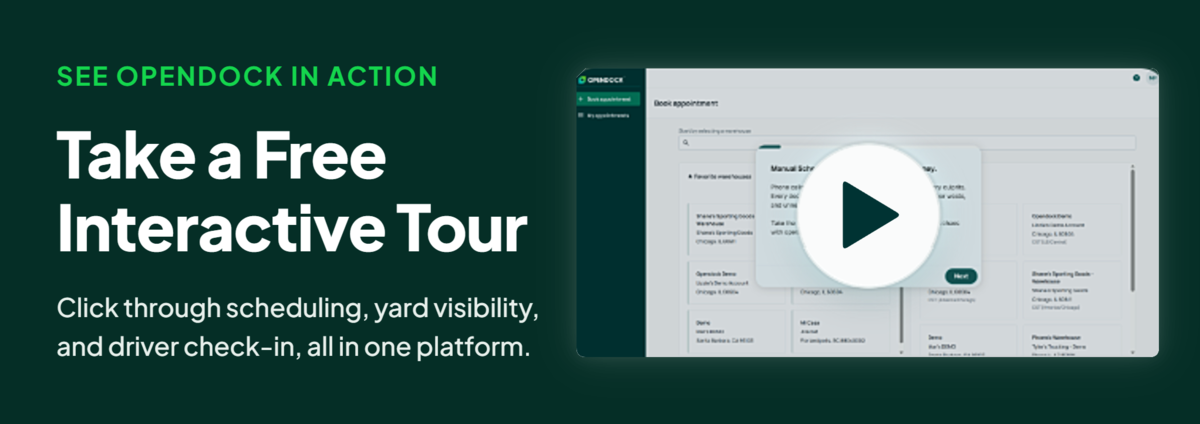
See How Opendock Manages the Dock
Finding a strong dock operations software solution does not have to be the end of the process. Opendock offers a live demo so you can see automated dock scheduling, driver check-ins, and SmartGate capturing every arrival and departure at your facility firsthand.
If Opendock looks like the right fit for your warehouse, request a demo below.

Frequently Asked Questions
What Features Should I Look for in Dock Management Software?
The most important features are a carrier self-service portal, rule-based appointment automation, real-time dock status visibility, and automated carrier performance scoring. Together these replace manual, email-based coordination with a system that scales as carrier volume grows.
How Does Dock Management Software Integrate With My WMS or ERP?
The strongest platforms use two-way data flow instead of a one-way CSV export, so appointment data stays synced with your WMS or ERP. One-way exports push data in but nothing comes back, which creates receiving delays, inventory lag, and manual reconciliation. Opendock connects through its API, so both systems work from the same appointment data.
How Is AI Changing Dock Appointment Scheduling and Rescheduling?
Appointment systems are shifting from flagging a problem to acting on it. The mechanical cases are furthest along: detecting a slipped pickup, rebooking the slot, and notifying the people involved without anyone working the phone. Judgment calls still need a person.